Main Content
Webmail
Allgemeine Informationen
The webmailer is based on the open source software SOGo. This enables the use of the email account belonging to the university account (for employees and students) as well as the maintenance and sharing of calendars and address books.
The webmail services are accessible at following addresses:
Quick manual
Login
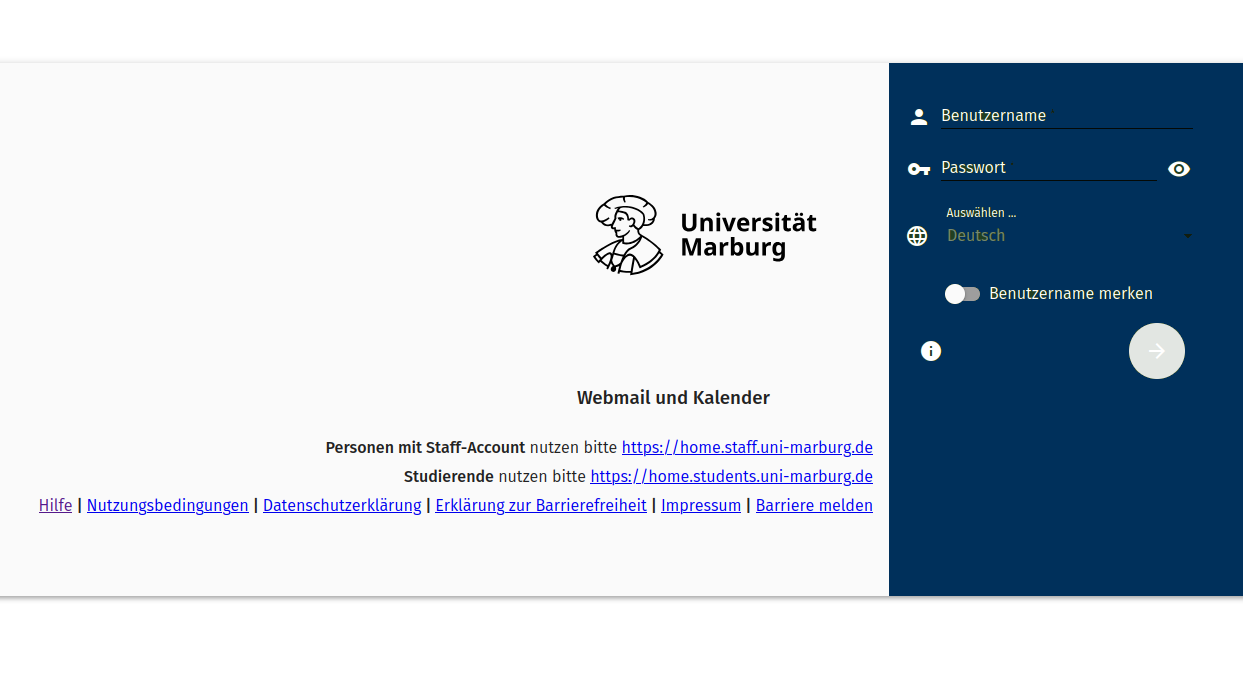
You need your university account (Staff or Students) to log in to the webmail client. To do this, please open the following websites (preferably using the Chrome browser):
Students:
https://home.students.uni-marburg.de/
Staff:
https://home.staff.uni-marburg.de/
The desired language can be selected before logging in by clicking next to the globe symbol. By default, the language set in the web browser is used.
Interface
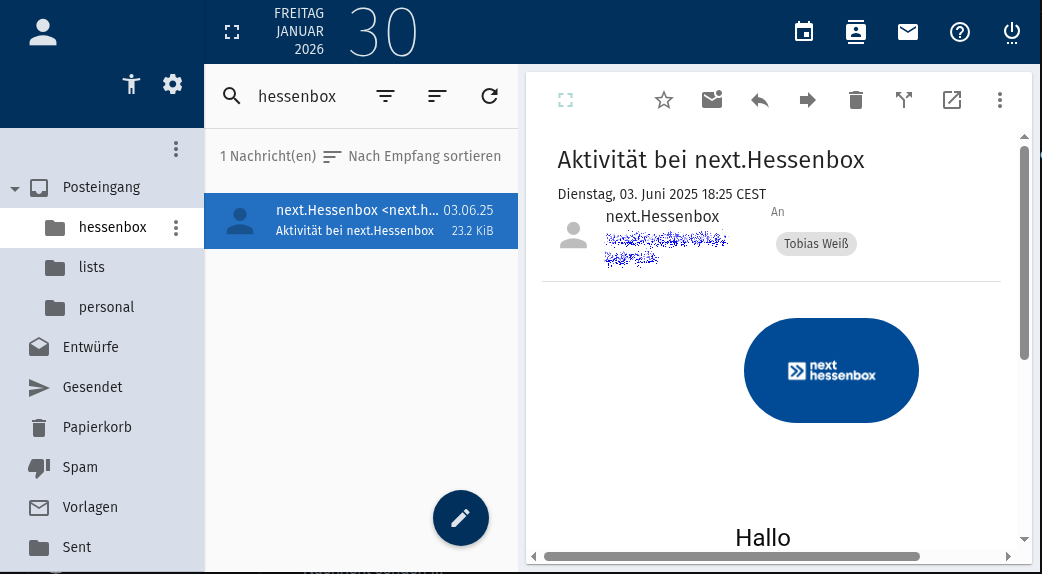
In the user interface, you can switch between the individual services (Email, Calendar, Address Book, Options):
At the top right, you will find the calendar, the address book, emails and the option to log out.
Using the icon to the left of the date, you can enlarge the view. To open the settings, click on the gear symbol to the right of your username.
Settings
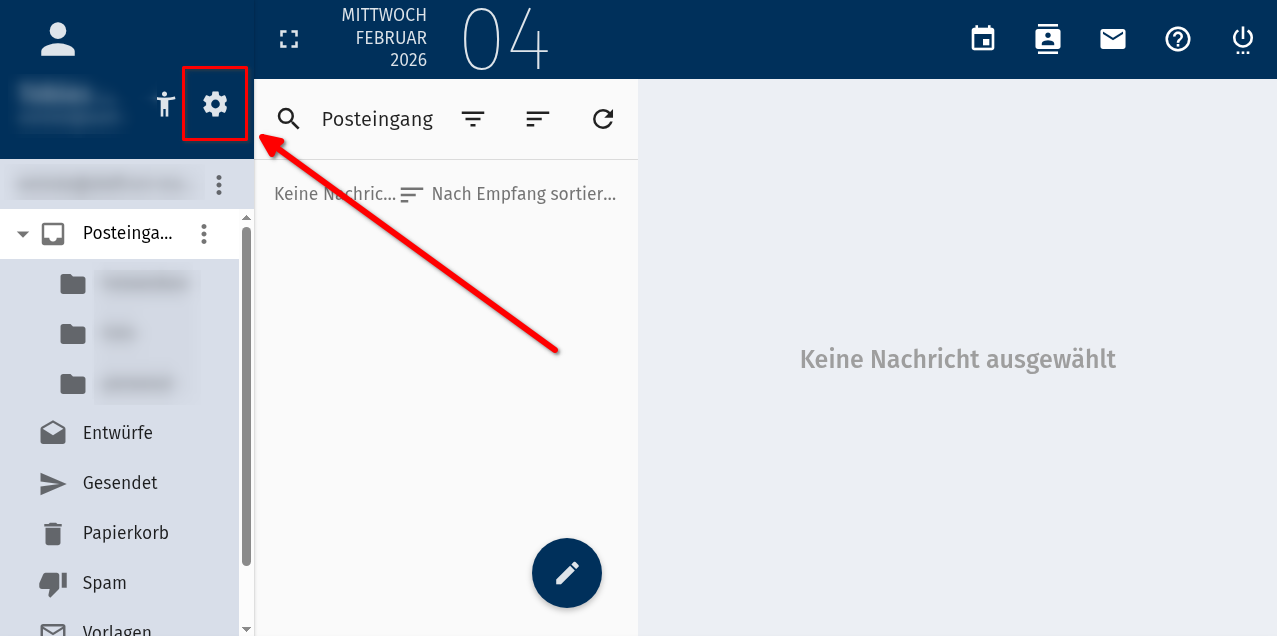
The settings can be accessed via the gear symbol at the top right.
There you can make, among other things, the following important adjustments:
- Setting up an automatic absence message
- Creation of filter rules
- Forwarding of incoming emails to another email address.
- Management of signatures
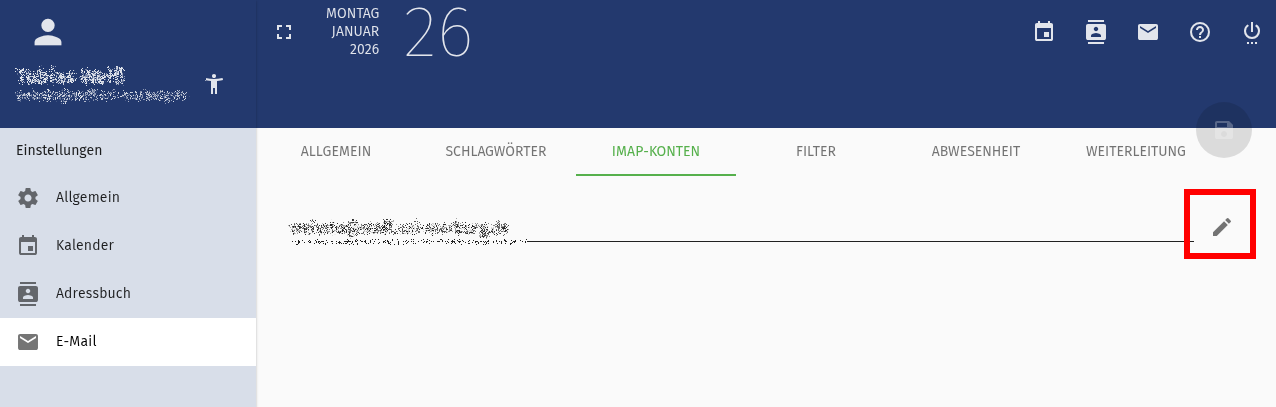
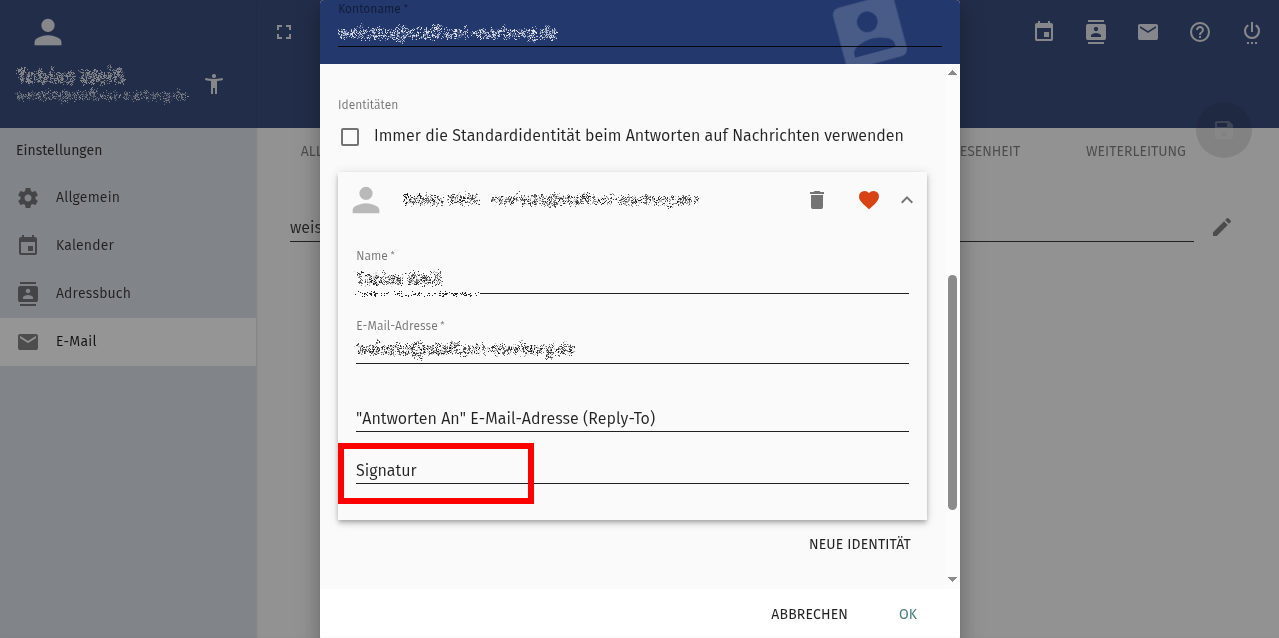
Signatures and additional email addresses can be created under Identities in Email >> IMAP Account.
For support and feedback, please feel free to contact email@hrz.uni-marburg.de
Calendar
Address Book
Webmail FAQ
Here you can find common problems and solutions related to email and webmail topics.
General Information
What is SOGo?
SOGo is the software that the University of Cologne’s webmail system will be migrating to in the near future. SOGo will replace Horde as the underlying system.
Where can I find the official SOGo FAQ?
Who can I contact with questions or problems?
Please contact us by email, specifying your account and your inquiry: email@hrz.uni-marburg.de
Problems and Solutions
How can a distribution list be created from addresses in an address book?
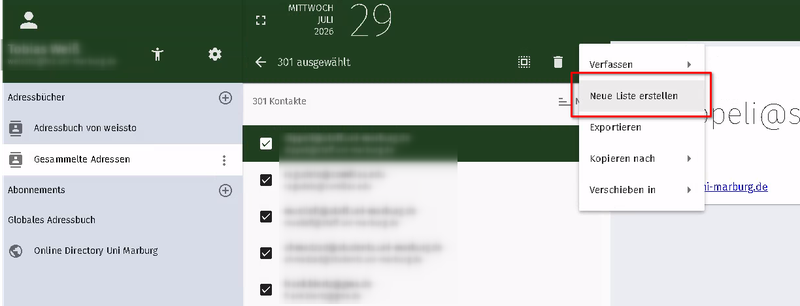
Click on any address -> select all (desired) addresses -> create a new list.
Why aren't events from external calendars synchronized automatically?
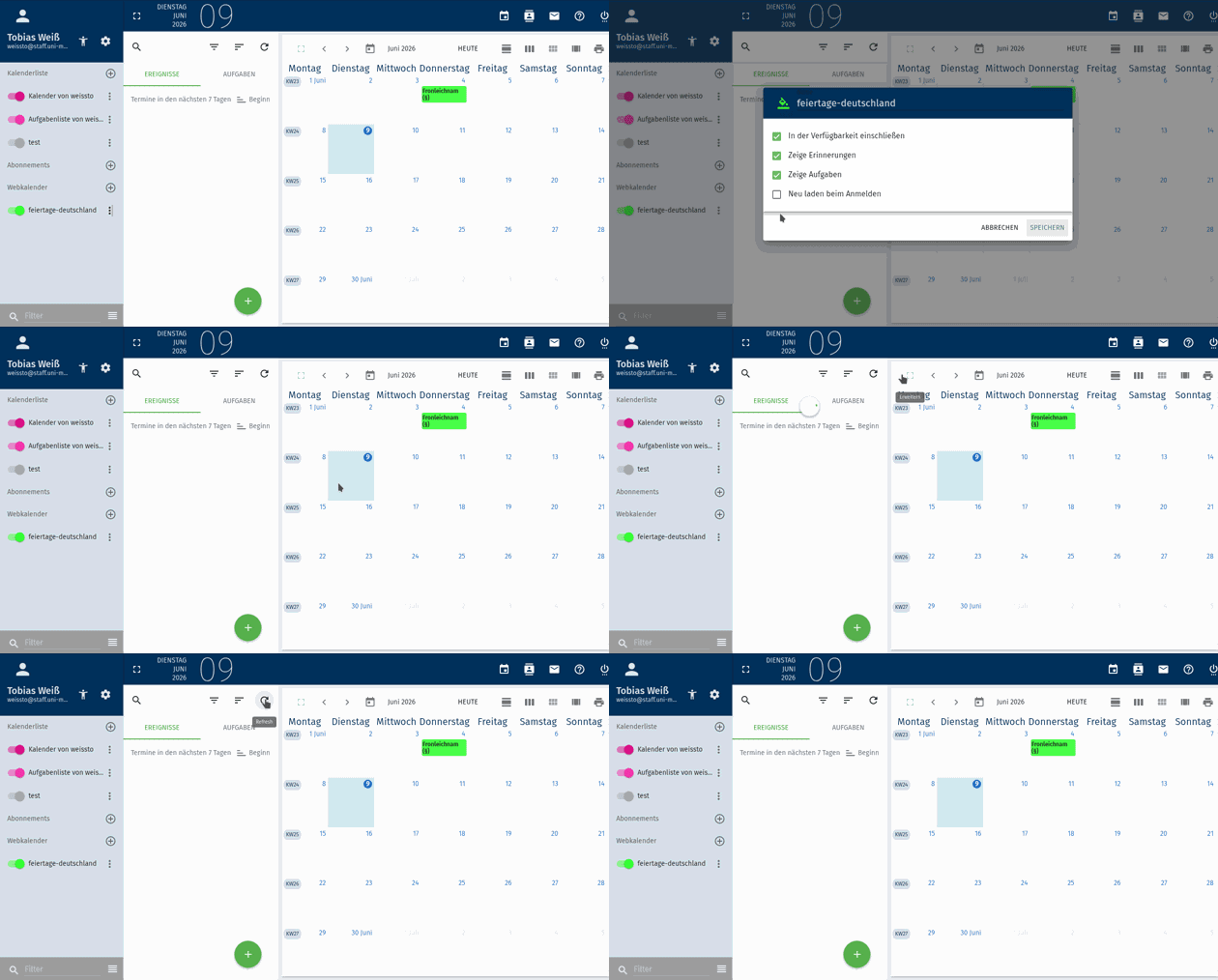
To synchronize external events, an automatic refresh upon login can be configured, or the refresh button can be operated manually.
How can I change the position of my replies?
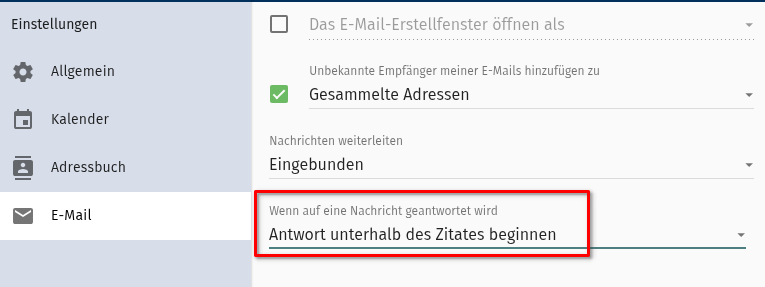
In the email settings, you can specify the position (above or below) of your replies. The default is below the received message.
Display of multiple calendars under MacOS 26
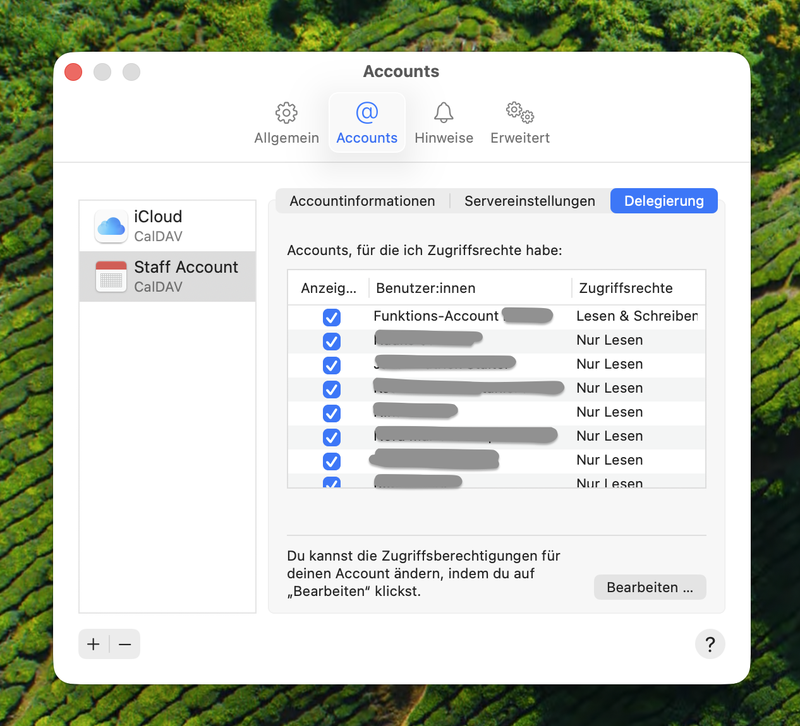
Under MacOS 26, the delegation item is not found in the account settings, but rather from the calendar app under “Settings” -> “Account” -> “Delegation”.
This area lists all calendars that have been shared with you. By default these are deactivated and activated here.Intervals for recurring appointments
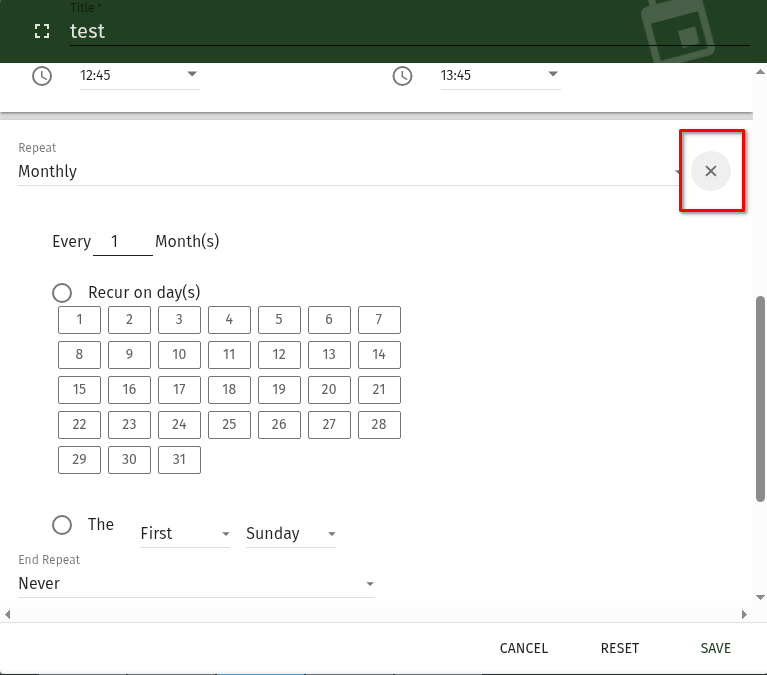
When setting up recurring appointments, at first glance you can only select from...to, "daily, weekly, monthly, yearly" and end of recurrence. Only after one of these options is selected does the "+" symbol appear next to the drop-down menu, which offers further options.
Out-of-office messages are not being sent, why?
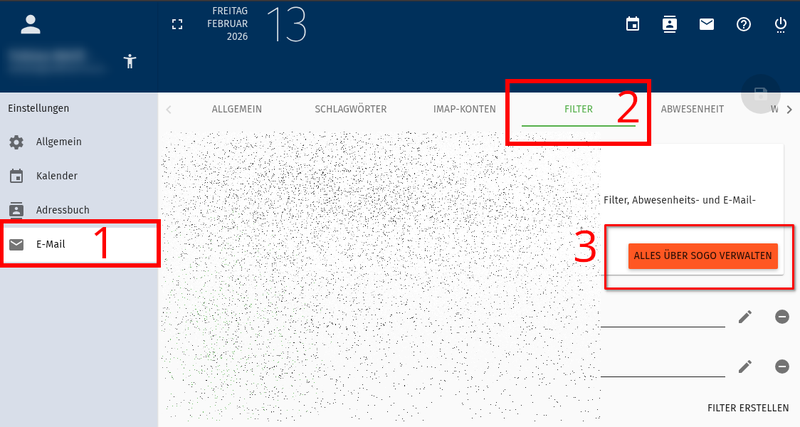 Webmail Filter Migration
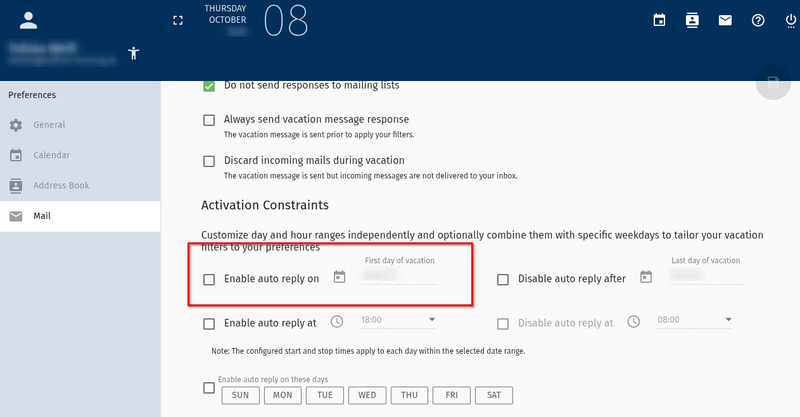 Enable start date for out-of-office messages
To activate the out-of-office message, please click on the 'MANAGE EVERYTHING ABOUT SOGO' button in the settings and then on the green floppy disk icon.
Please make sure to set a start date for the messages.
Moreove, the resend delay for vacation notices is seven days. By default, only after that cooldown time a new message is sent to the same recipient.How can I search subfolders?
In webmail, searching across all folders in your mailbox isn't directly possible using the standard search function, but there is a solution via the advanced search. You can access this either through the context menu (three dots) of any folder or via the three-dot button to the right of the search field in the regular search bar. In the advanced search, you can activate the "Search subfolders" option – to do this, click on the gear icon next to the "Search messages in" field (at the very bottom of the form). Once this option is activated, you can search for messages in all subfolders.
How can I select multiple emails?
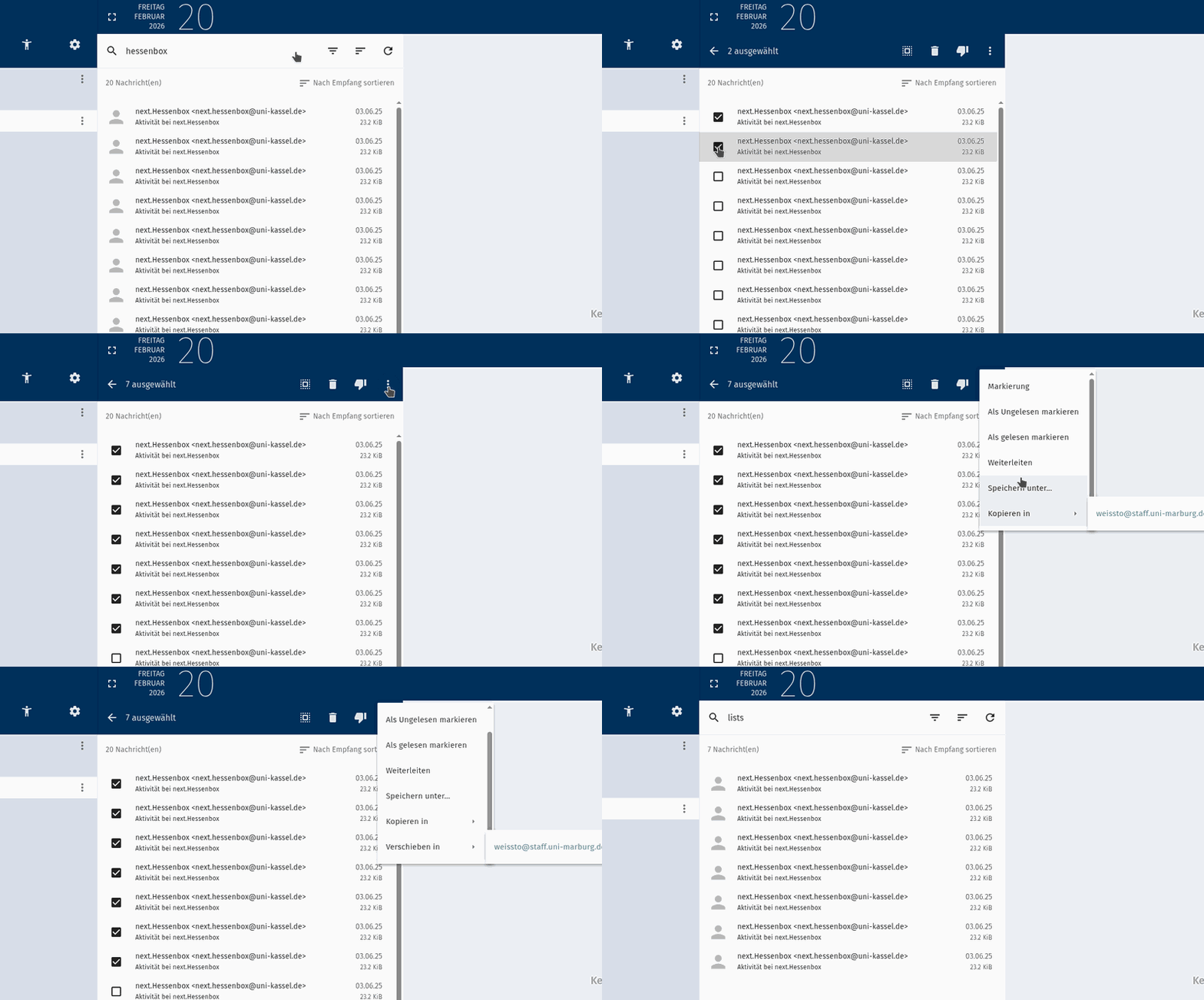 How-to: Mehrere Elemente markieren (SHIFT für Mehrfachauswahl)
You can select multiple emails by clicking the icon next to the first email (this will change all icons to boxes) => move the mouse to the last email, press Shift, and click the box. You can also select all emails at once using the Ctrl key.
How can I mark E-Mails as unread?
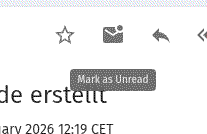
The symbol to mark emails as unread can be found in the menu above the email content.Why am I not able to subscribe to a shared calendar?
Currently, SOGo has a bug that spradically requires the owners of calenders to reinvite users, if they are not able to subsribe to the calendar.
How do I write, reply, or forward emails?
To compose a message, click the green pencil. You'll find this pencil at the bottom of the message list (orange). After you've selected whether you want to compose the email in the same or a new browser window, the sending form will open.
To forward an email, please select the corresponding icon (right arrow) in the header of the corresponding message.
How do I search emails?
Clicking the "magnifying glass" icon above the message list opens an input field that allows you to search in the currently selected folder.
How can I search in the calendar?
First, the time period filter must be set to the desired range (default: “next 7 days”) before typing text into the search field. Once you click on the magnifying glass icon, the filter for the search period is hidden!
Where are mail filters edited?
You can access the settings via the options wheel next to the name on the left side (orange).
In the settings, select “Email”. In the white main window, you can select “Filters” as a tab.Why are my filtered emails being copied and not moved?
"End filter processing" must be added to the end of the rule for the move to occur.
Where can I add my signature?
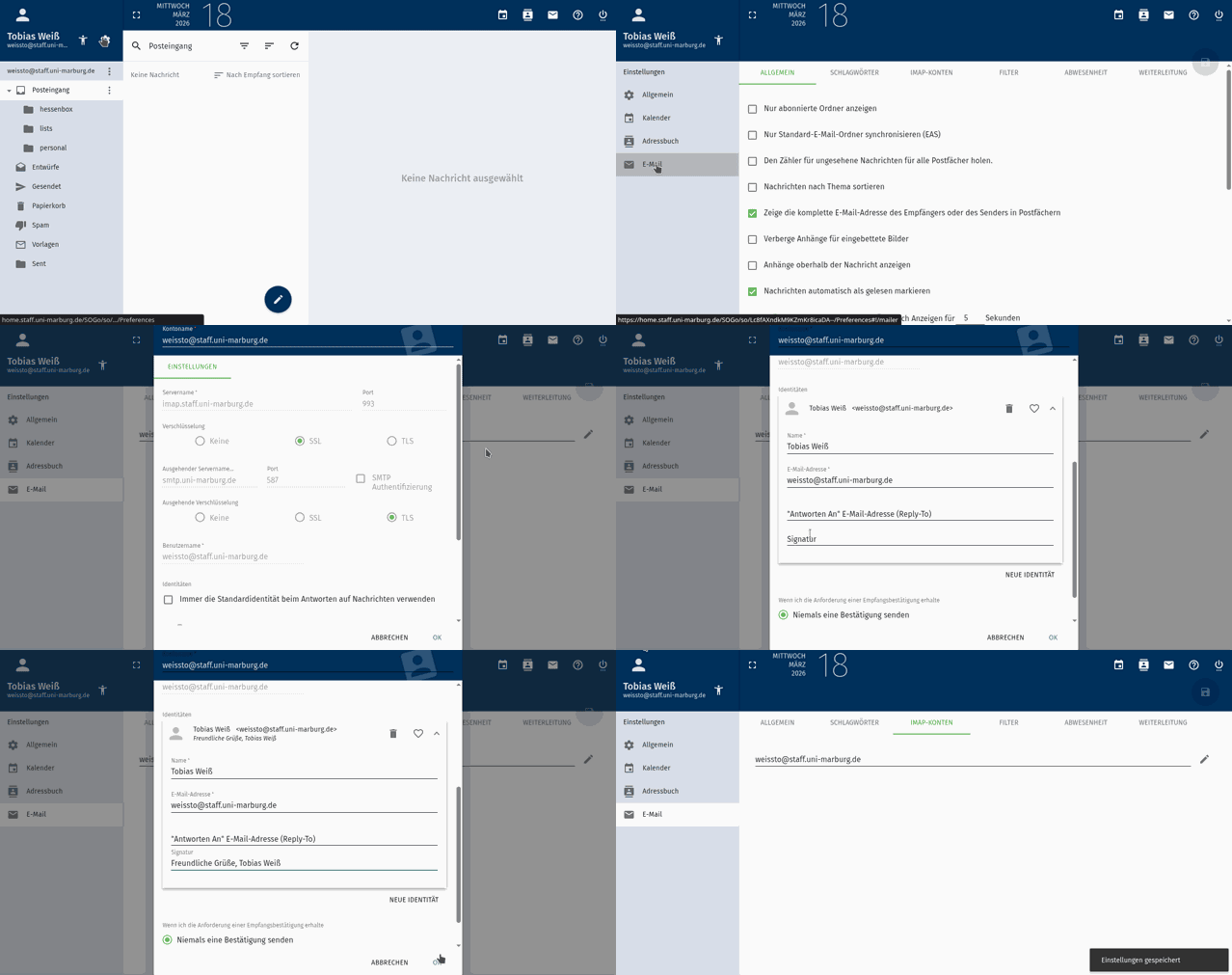
You can access the settings via the options wheel next to your name (in the top left corner). In the settings, select "Email." In the white main window, you can select "IMAP Accounts" as a tab. Then click the pencil icon to the right of the account name. You can then set your signature in the Identities section of the corresponding account.
Where can I view my tasks?
Tasks are implemented in SOGo as a separate calendar. The task calendar is called "Username's Task List." By default, the "Events" tab is displayed. To view the task list, you can switch to the "Tasks" tab.
Why do invitations from Outlook automatically have priority 5?
In SOGo, priority levels range from 1 to 9. Invitations from Outlook automatically have priority 5 because they have no priority by default.
Filter vs. Search: Why can't I find my search results?
Filters can only be defined before entering the search form. After that, they are set and cannot be deselected. If desired search results are not displayed, a filter may be active.
Why is it not possible to display the appointment status ("Tentative", "Confirmed" or "Cancelled") in the web interface?
The SOGo web interface does not allow you to assign a status like "Confirmed," "Tentative," or "Cancelled" to an appointment. This is not due to a technical limitation of the server, but rather a deliberate design choice for the web interface. SOGo developers focus on core use cases (appointment creation, invitation management, and synchronization). Niche functions like explicitly setting status values have not yet been integrated into the web GUI because they are rarely needed in practice.
Workaround: Set status via external clients
If an explicit status is required (e.g., for tentative appointments), please use a local email program such as Thunderbird. These programs offer a choice between TENTATIVE/CONFIRMED when creating an appointment. The value is saved by SOGo, but it is still not displayed in the web interface.
Further SOGo Documentation
Support and help
You can reach the email team via email@hrz.uni-marburg.de.
Please include a meaningful topic in the subject line of your request.
Related Services
Worth knowing
Incoming and outgoing emails are checked for viruses and spam and if necessary rejected or sorted into a separate 'spam' folder from which they are automatically deleted after a few days.
Despite this filter, please be careful: fraudulent emails are still in circulation, asking you to disclose your access data (username, email address, password) via email or an external website.
Please do not react to such emails (phishing emails).
Disclosing your access data may have considerable consequences for all users of the University of Marburg, especially the general refusal of mail reception by other mail operators. The University Computer Center and its employees will not ask you to disclose your access data or password at any time, neither personally, nor by telephone or email.