Main Content
Linux (automatic)
Due to issues with various Linux systems, we currently (Oct 2026) do not recommend the use of geteduroam on Linux. Please use the manual configuration instead.
Entry requirements
- You have the login credentials for your university account.
- The operating system should be updated to the latest version available for your device.
- Your device must support WPA3-Enterprise.
- Make sure you have the latest drivers for your Wi-Fi adapter installed.
Modern Linux distributions usually install the required WiFi drivers automatically, provided that freely available drivers exist for the WiFi adapter.
Adding the configuration profile
1. Download the geteduroam app from the developer's website.
- Note: Due to a bug, please set up eduroam manually on Ubuntu 26.04 LTS.
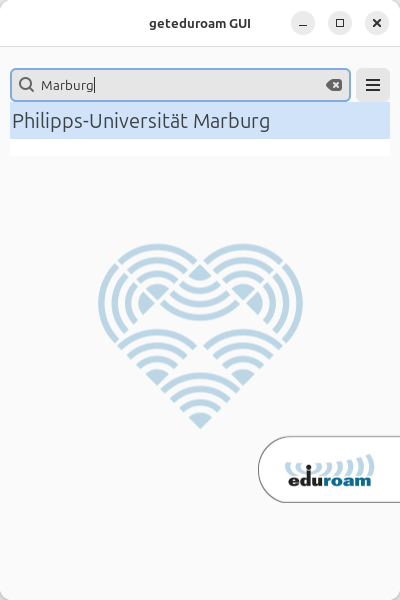
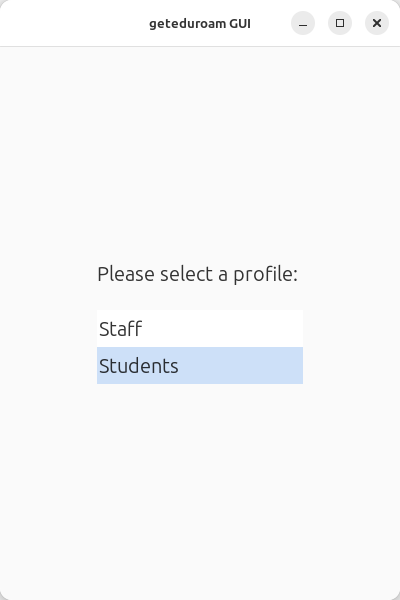
2. Open the app and select Philipps-Universität Marburg as Organization and your user group (Students or Staff) as Profile.
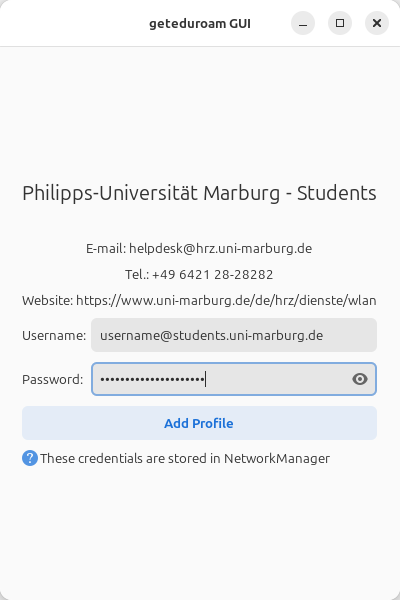
3. Enter your username and password and click on “Add Profile”.
- Students: username@students.uni-marburg.de
- Staff: username@staff.uni-marburg.de
Please note: The eduroam username is not an e-mail address, despite the similarity. Aliases such as firstname.lastname@staff.uni-marburg.de do not work!
If the connection does not work, contact the helpdesk team.
Please include your username (uid) and the WiFi-MAC-address of the device with your inquiry.
As of: 2026-08
OS: Linux Mint 22.3
App: 0.14