Main Content
iOS / iPadOS (automatic)
Entry requirements
- You have the login credentials for your university account.
- The operating system should be updated to the latest version available for your device.
- Your device must support WPA3-Enterprise.
- An existing internet connection on the device (mobile data, hotspot, guest- or other WiFi)
Remove old configuration profile
If your device was previously set up with a manually added eduroam profile, you must first remove it.
To do so, please follow these instructions:
iOS / iPadOS (Remove manual profile)
After that, you should be able to set up eduroam easily using the geteduroam app.
Set up with the geteduroam app
1. Download the geteduroam app from the App-Store.
- Note: The app must remain installed after setup, otherwise the WiFi profile will be deleted again!
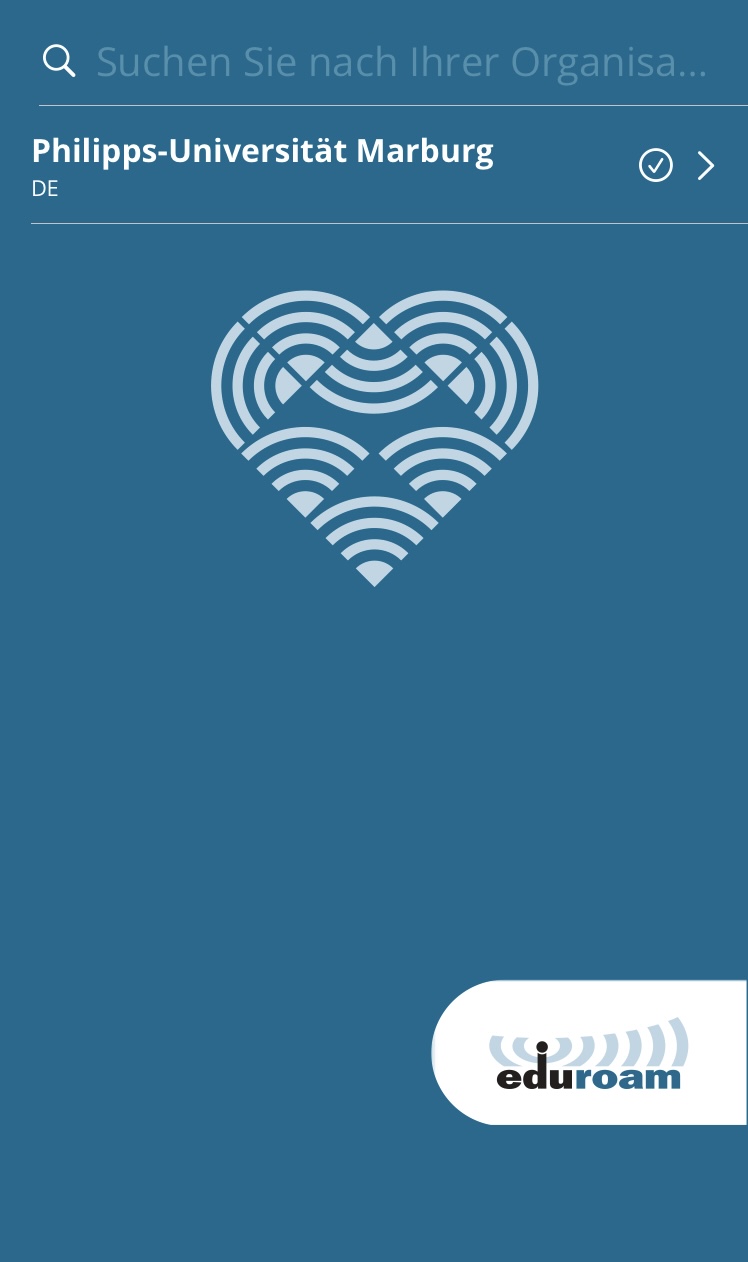
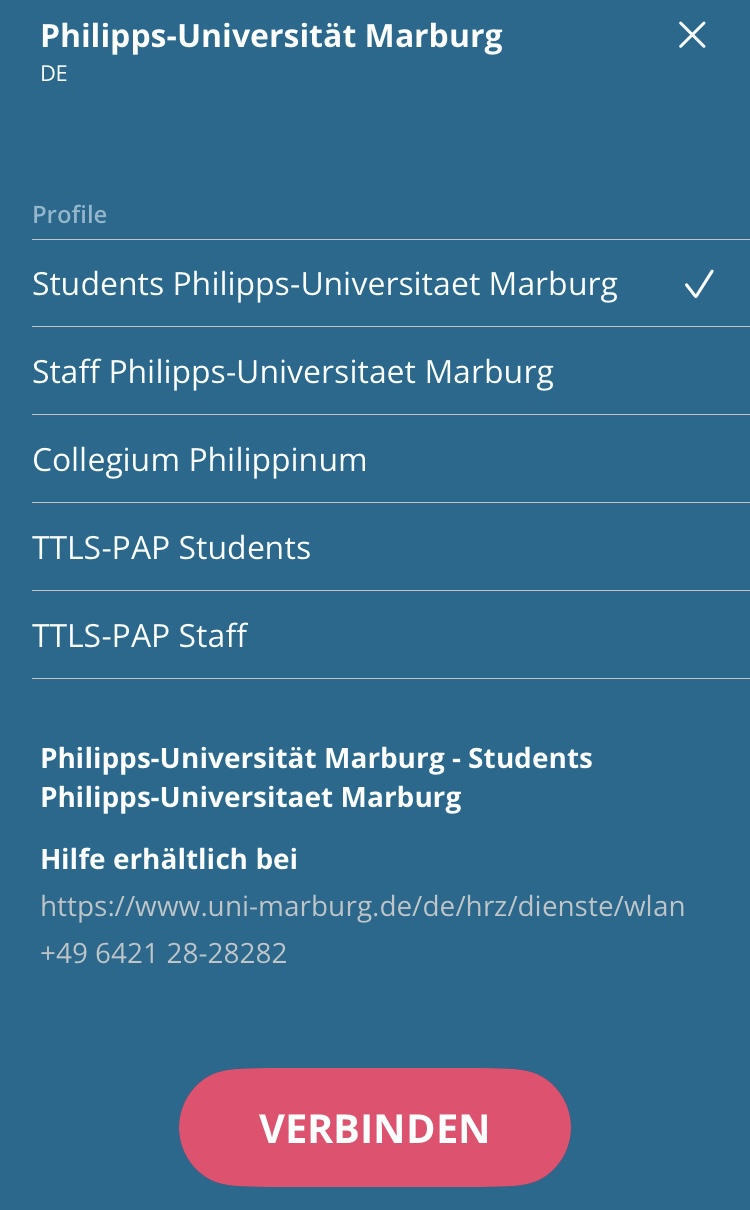
2. Open the app and select Philipps-Universität Marburg as Organization and your user group (Students or Staff) as Profile.
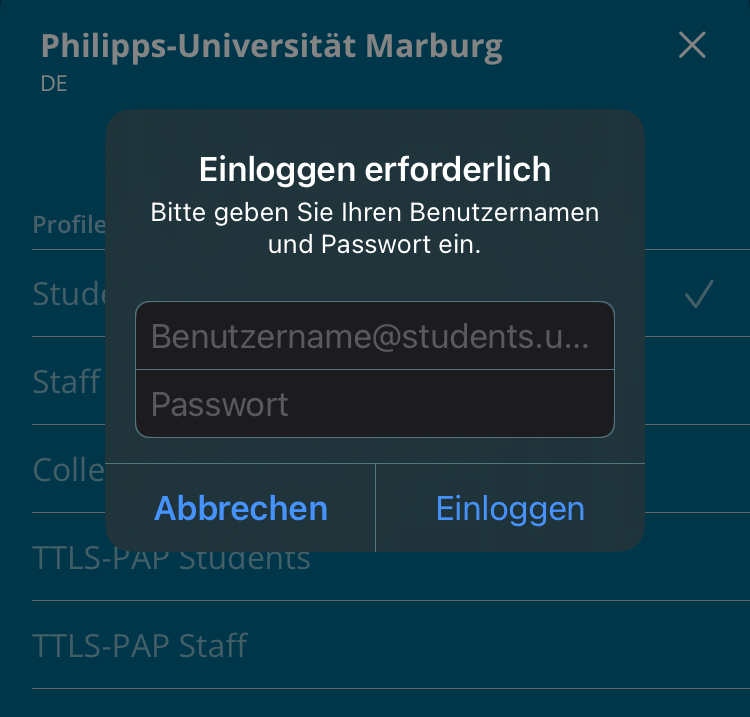
3. Enter username and password.
- Students: username@students.uni-marburg.de
- Staff: username@staff.uni-marburg.de
Please note: The eduroam username is not an e-mail address, despite the similarity. Aliases such as firstname.lastname@staff.uni-marburg.de will not work!
FAQ
How can I tell if my device has already been updated to the new WiFi settings?
Unfortunately, on iOS/iPadOS, you can't check for yourself whether the current WiFi settings are already active.
If the connection does not work, contact the helpdesk team.
Please include your username (uid) and the WiFi-MAC-address of the device with your inquiry.
As of: 2026-10
OS: iOS 26
App: 2.4