Main Content
Links: change the order or add new links
You can add links and change the order. We will show you how it works:
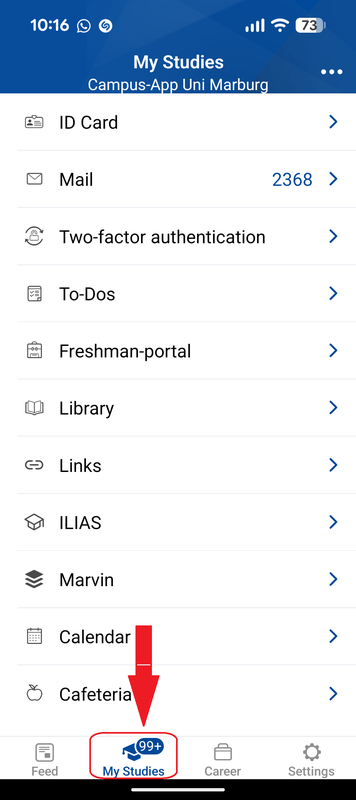
- Click "My Studies" in the bottom menu bar (Fig1).
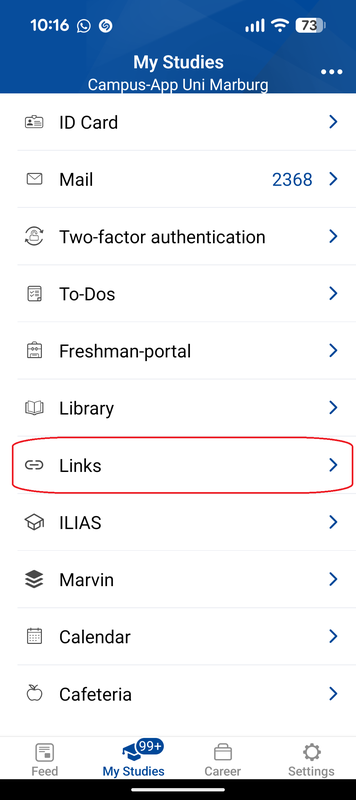
- Click "Links" (Fig2).
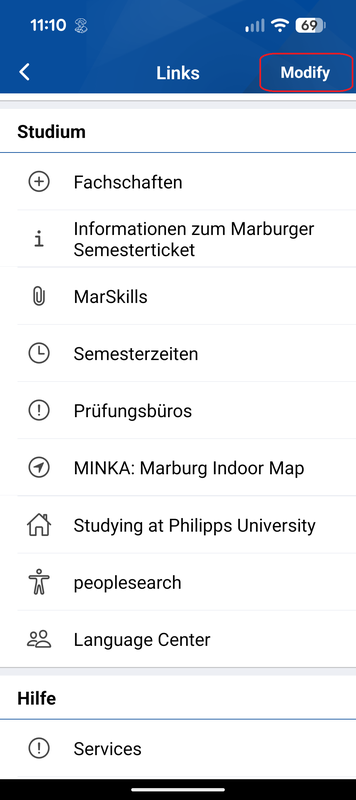
- In the right top corner there you click on "Modify" (Fig3).
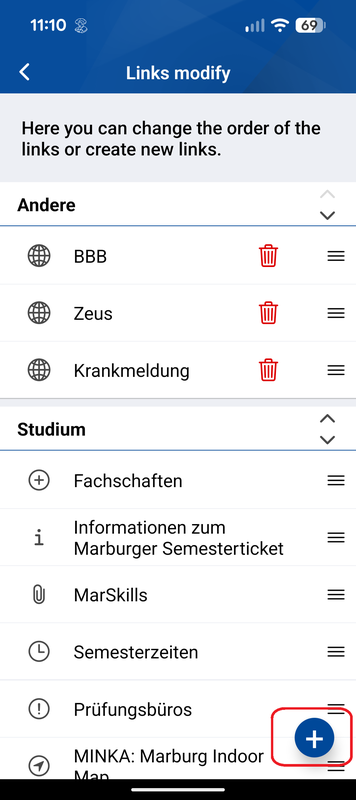
- Click "+". (Fig4)
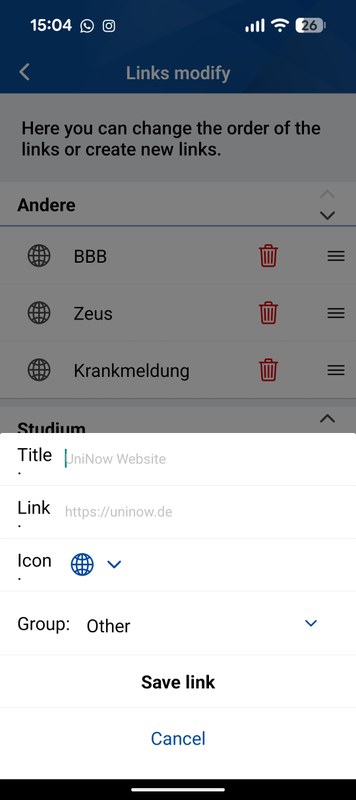
- Put in a title and a link and save the link (Fig5)
You can either change the order by pressing the arrow or add a new link by clicking the "+".