Main Content
Downtime For New Webmail, Calendar & Address Book (Campus)
On Friday, February 13, 2026, we were migrating our webmail service.
⚙️ Reconfiguring calendars and address books: Calendars and address books in local applications must be reconnected after the migration.
- Instructions for setting up calendars for local and mobile applications
- Instructions for sharing calendars
🔍 Check settings and activate filters: Most Horde settings and mail filters will be retained. However, please check the transferred settings before activating them (especially the filters) in SOGo Webmail.
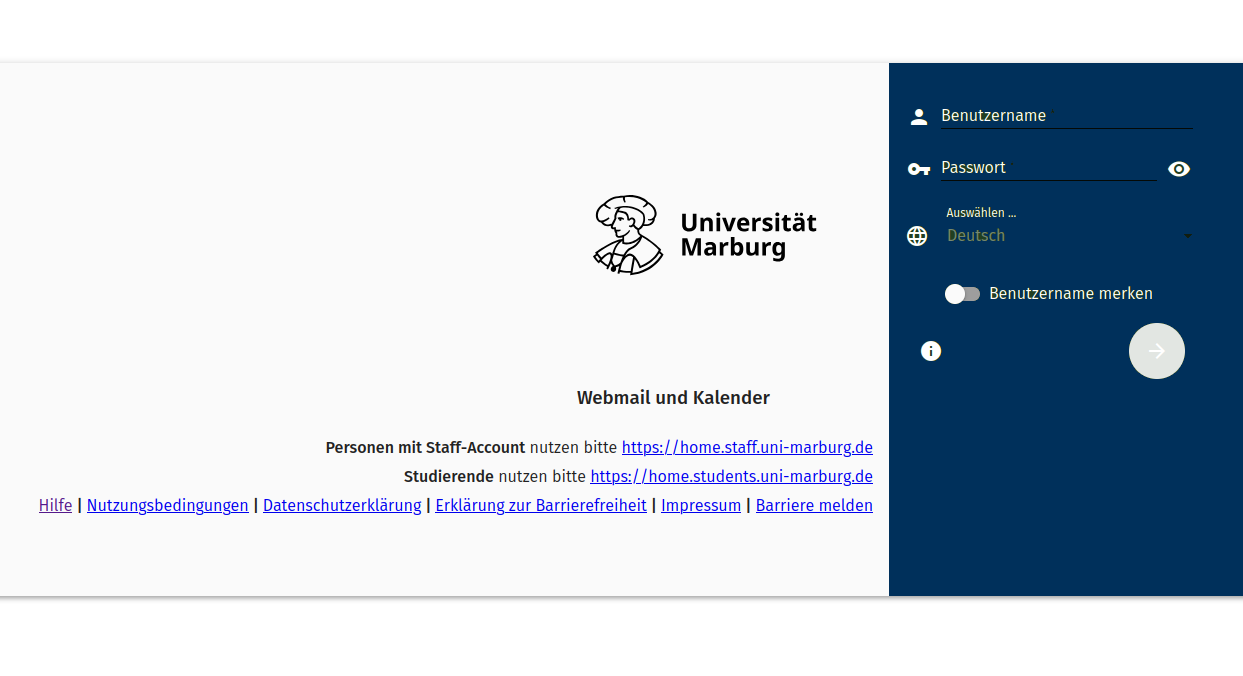
University administration Microsoft Exchange webmailers, calendars and adressbooks are not affected by this change.
Background
With a modern and intuitive interface, the new SOGo webmail offers all the usual groupware functionalities and represents a secure alternative to the old Horde webmail solution. Among other things, SOGo webmail once again allows the graphical display of Hyper Text Markup Language (HTML) email content, which had to be deactivated in Horde for security reasons.
After the changeover, the webmailers will still be accessible at the familiar addresses:
- Students: https://home.students.uni-marburg.de
- Staff: https://home.staff.uni-marburg.de
Next steps
- Calendars and address books in local programs will need reconfiguration after the migration.
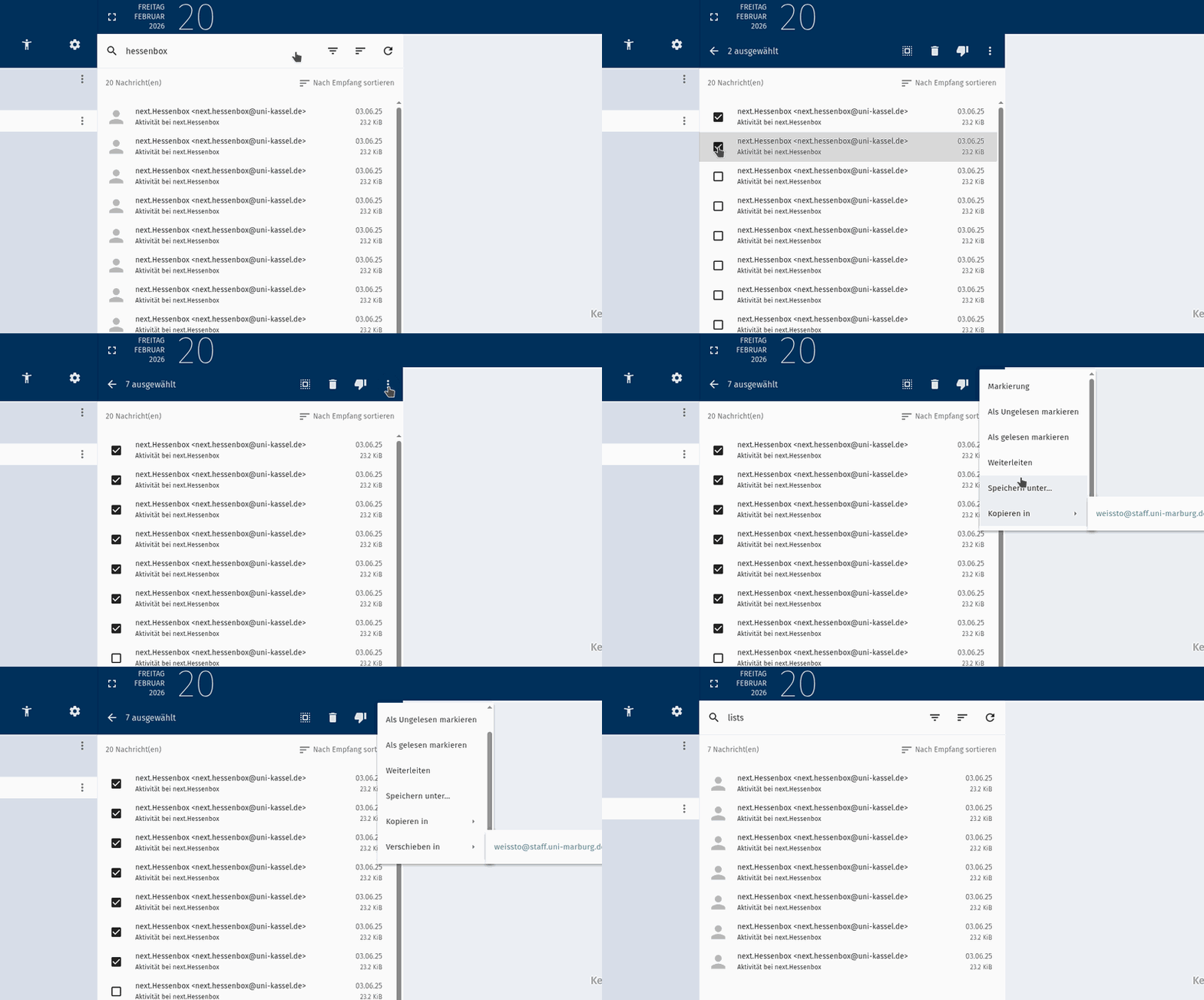
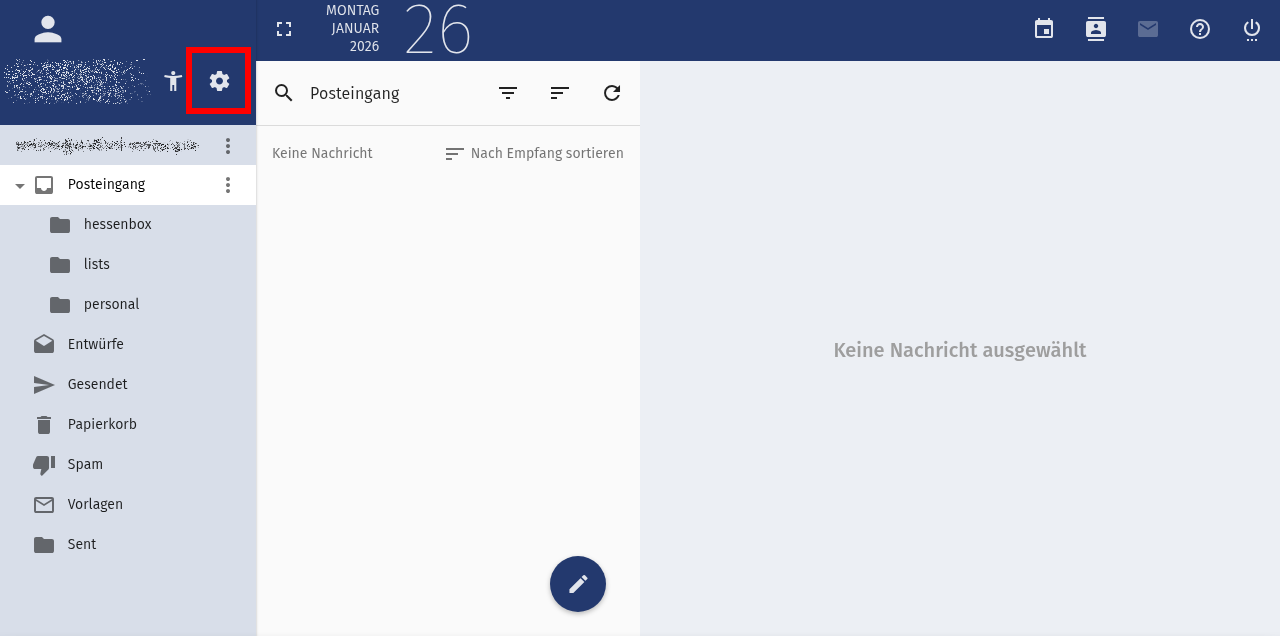
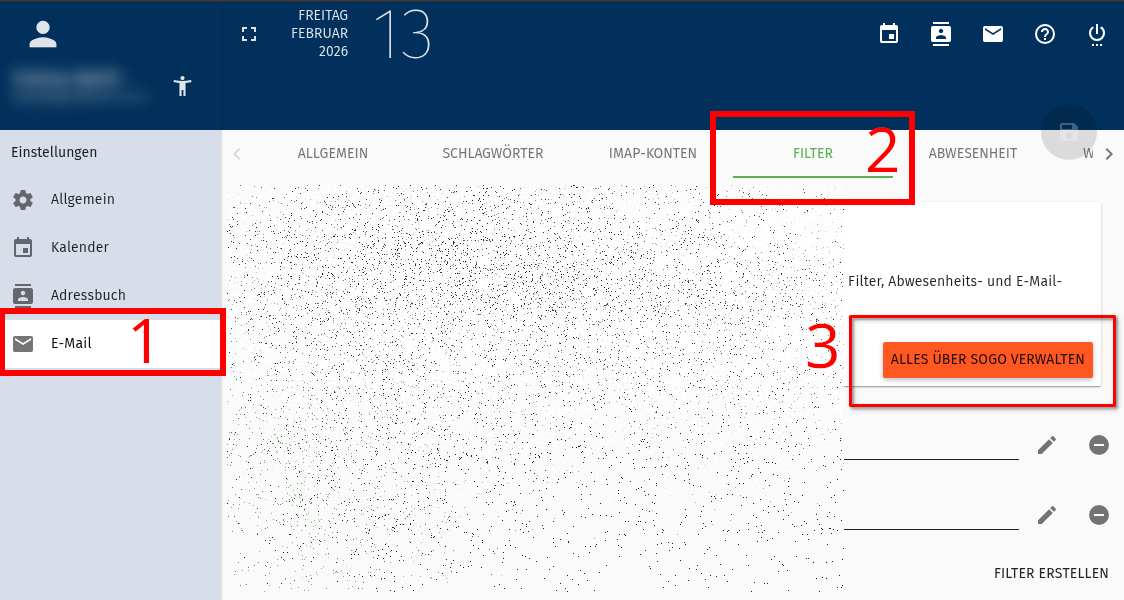
- Forwarding rules, out-of-office replies, and mail filters created with Horde will be retained. However, please check the settings transferred to SOGo before activating them in SOGo under “Settings (gear icon) => Email”, and then under the respective tabs.
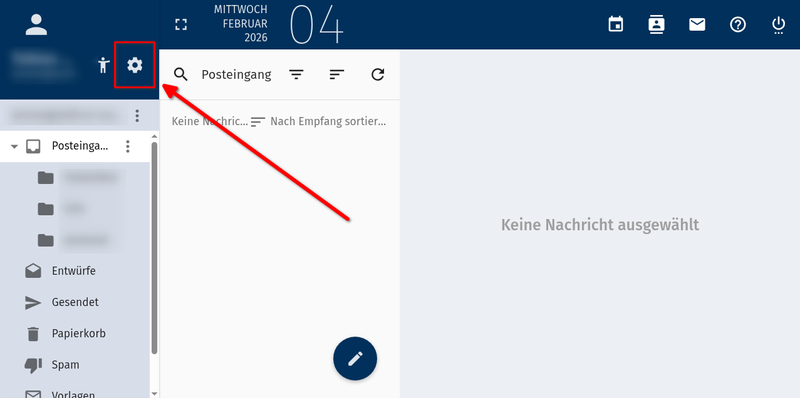
Settings via "gear" button
Here you find detailed instructions on how to navigate to the filter settings.
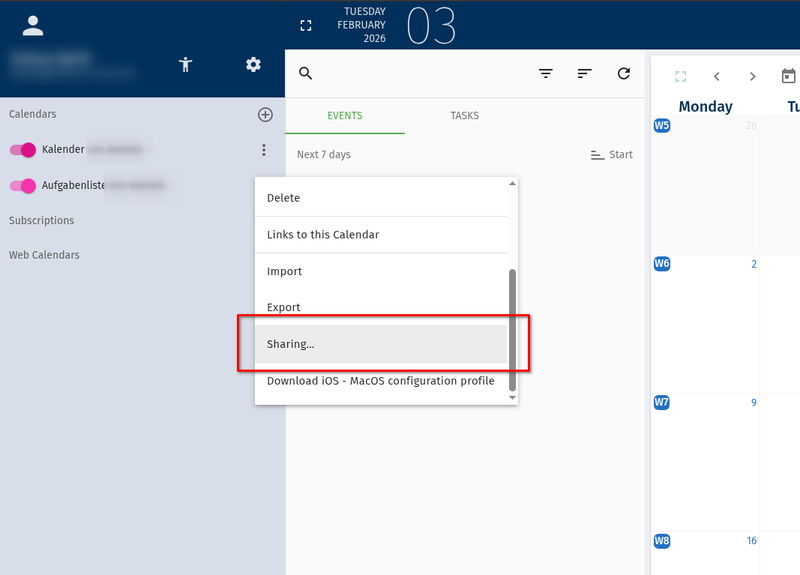
- Access to shared calendars may be lost during migration. Calendar owners should therefore check the access rights of subscribers and reactivate them if necessary. This can be done in the calendar view in the context menu behind the calendar name, where you can check “Subscribe for user” for each entry under “Sharing” (scroll down).
Share calendars with other users
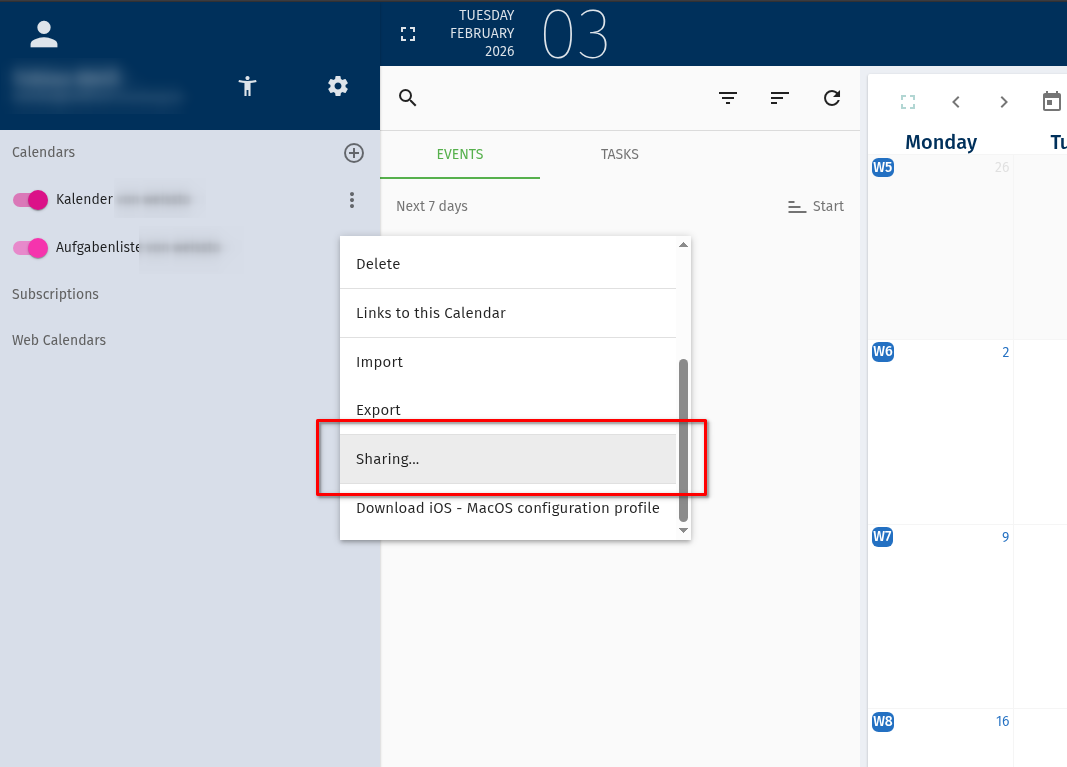
Here you find a step-by-step instruction to share a calendar with other users.
Instructions for Desktop Clients
Instructions for Mobile Clients
Further notes
- The new SOGo webmailer does not include a notes function! Thus, Horde notes will not be transferred. Please back up any relevant notes in advance and save it, for example in next.hessenbox,! To back up your notes, the old Horde webmailer offers export functions (as CSV or PDF).
- The use of the Exchange Active Sync (EAS) protocol for calendar and address book synchronization will no longer be possible in the new webmailer. Instead, you can use the CalDAV (calendar) or CardDAV (address books) protocols for synchronization.
- It is currently not possible to display the availability information of participants for appointments. This function is expected to be added at a later date.
- The university of Cologn offers a detailed documentation of the webmailer functions with step-by-step instructions and a lot of pictures.
If you have any questions, problems, or feedback, please contact: email@hrz.uni-marburg.de
For even more direct communication, we have also set up a public Matrix channel:
#webmailer:matrix.uni-marburg.de